
Raspberry Pi Pico H
 Rust
Rust
Dependencies
rustup target install thumbv6m-none-eabi
cargo install flip-link
cargo install --locked elf2uf2-rs
Set up mount point for RP2 device in /etc/fstab:
LABEL="RPI-RP2" /mnt/rp2 auto defaults,user,noauto,nosuid,nodev,noexec 0 0Template project setup
Template project: https://github.com/rp-rs/rp2040-project-template
- Uncomment
elf2uf2-rs -drunner in.cargo/config.toml:diff --git a/.cargo/config.toml b/.cargo/config.toml index a565984..04a72c4 100644 --- a/.cargo/config.toml +++ b/.cargo/config.toml @@ -2,8 +2,8 @@ # Choose a default "cargo run" tool (see README for more info) # - `probe-rs` provides flashing and defmt via a hardware debugger, and stack unwind on panic # - elf2uf2-rs loads firmware over USB when the rp2040 is in boot mode -runner = "probe-rs run --chip RP2040 --protocol swd" -# runner = "elf2uf2-rs -d" +#runner = "probe-rs run --chip RP2040 --protocol swd" +runner = "elf2uf2-rs -d" rustflags = [ "-C", "linker=flip-link", - Connect (while holding
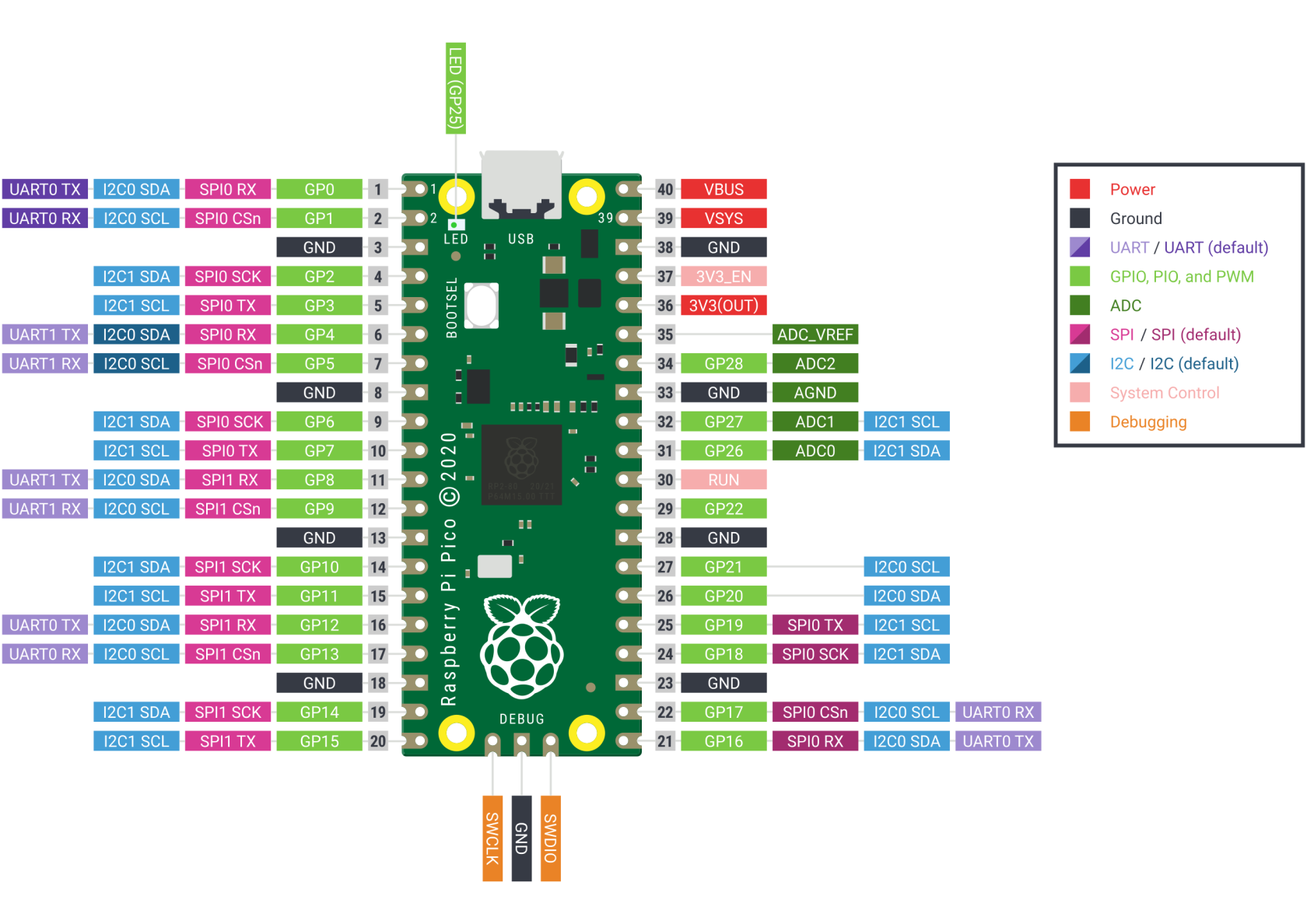
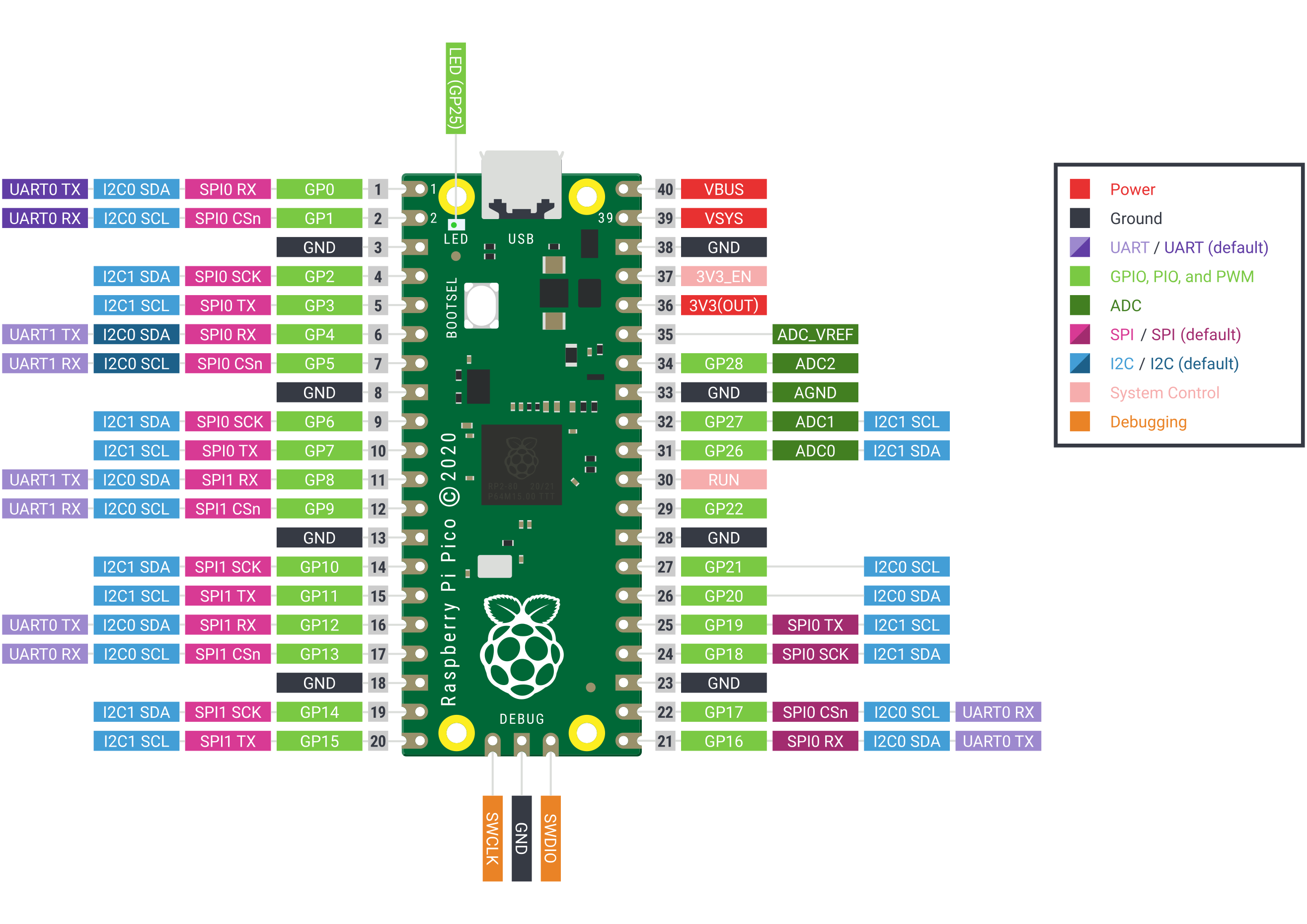
BOOTSELbutton) and mount RP2 device:mount /mnt/rp2 - Build and run:
cargo run --release