
Smart switch ESP8266EX
Sonoff WiFi smart switch
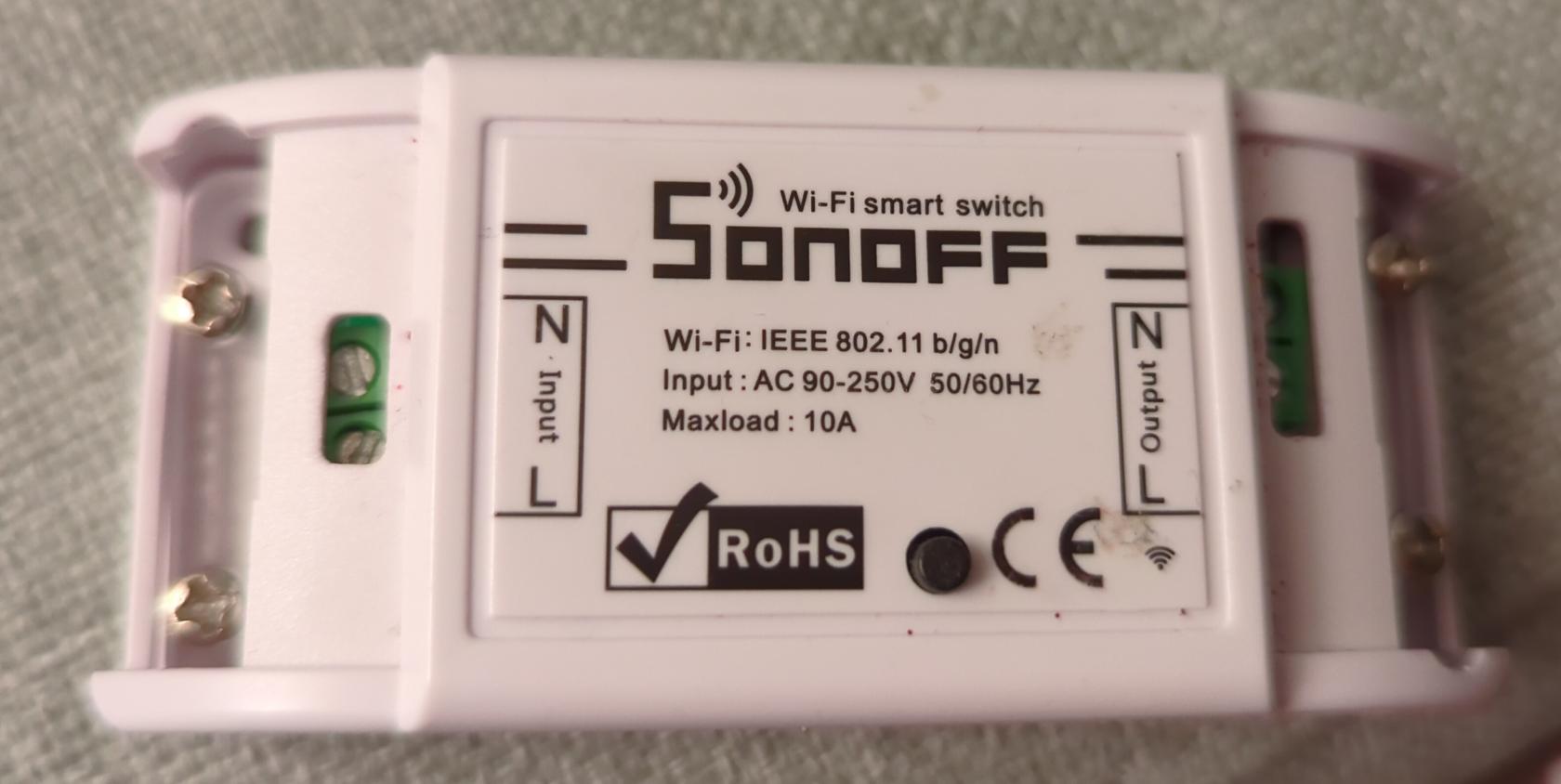
- Original firmware: fwbackup.bin
- Installing alternative firmware: https://tasmota.github.io/docs/Getting-Started/
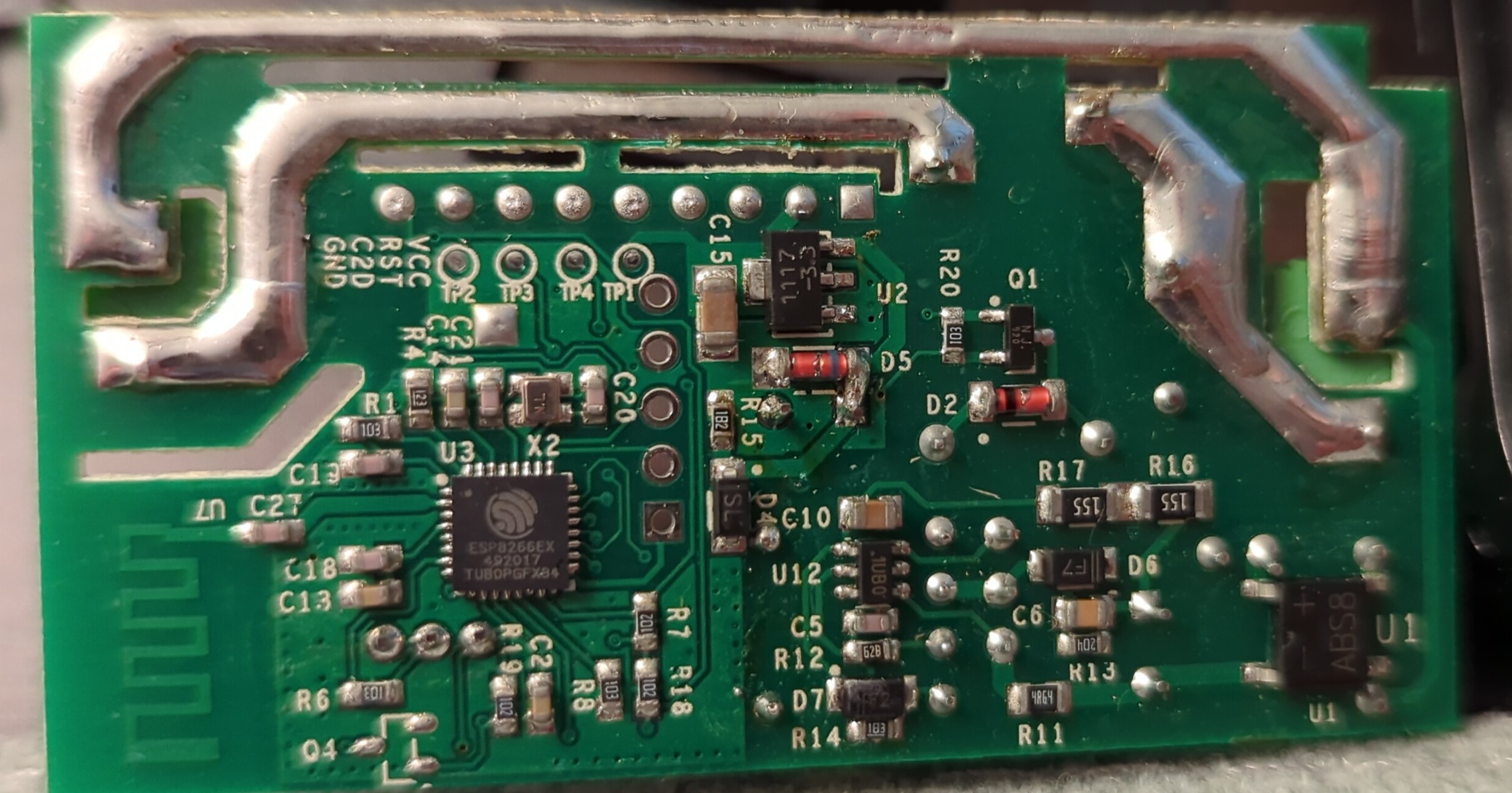
Input for the board is from mains. It is then rectified and transformed down to 3.3V via DS1117 regulator to power the ESP8266EX chip and the relay that switches the mains relay.
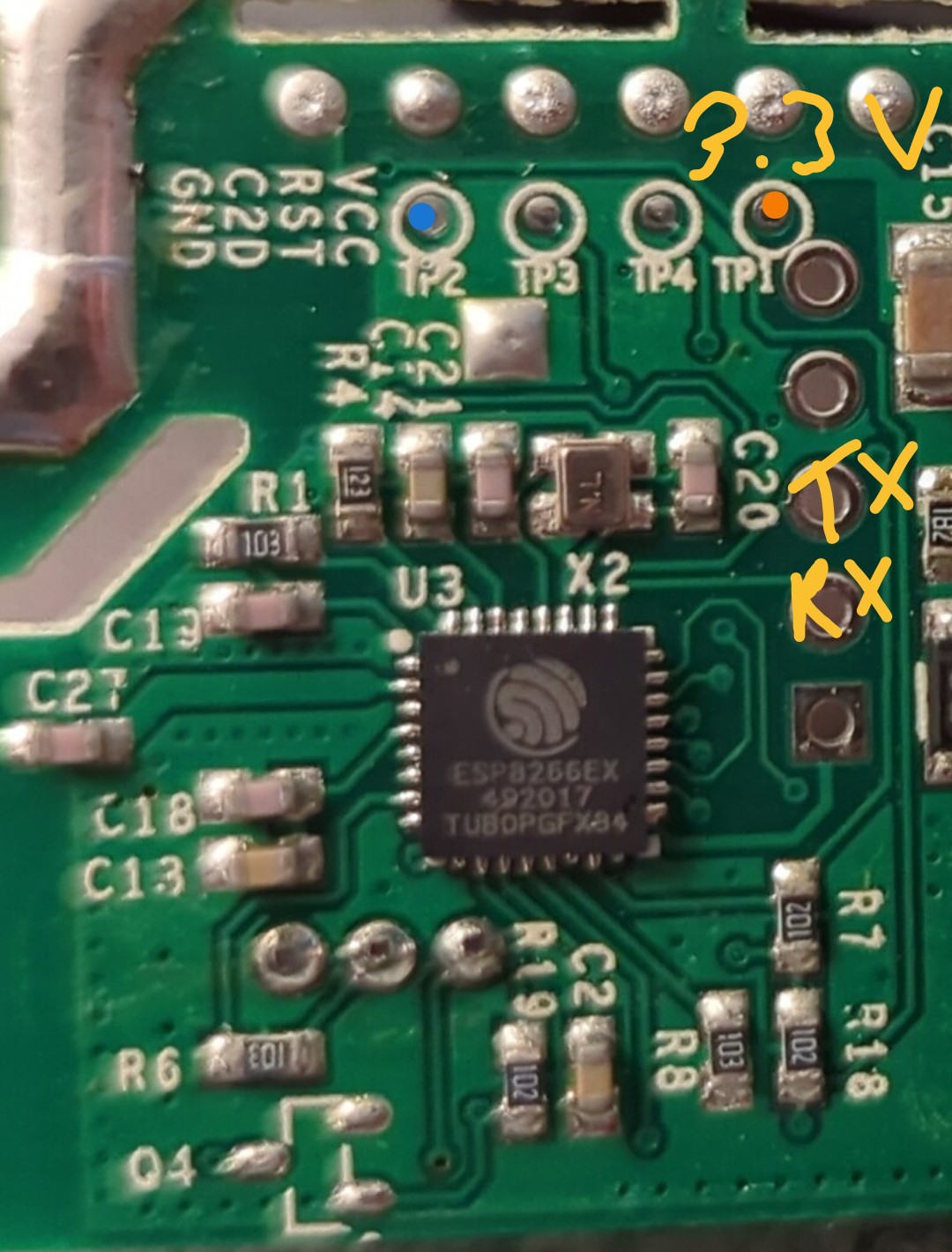
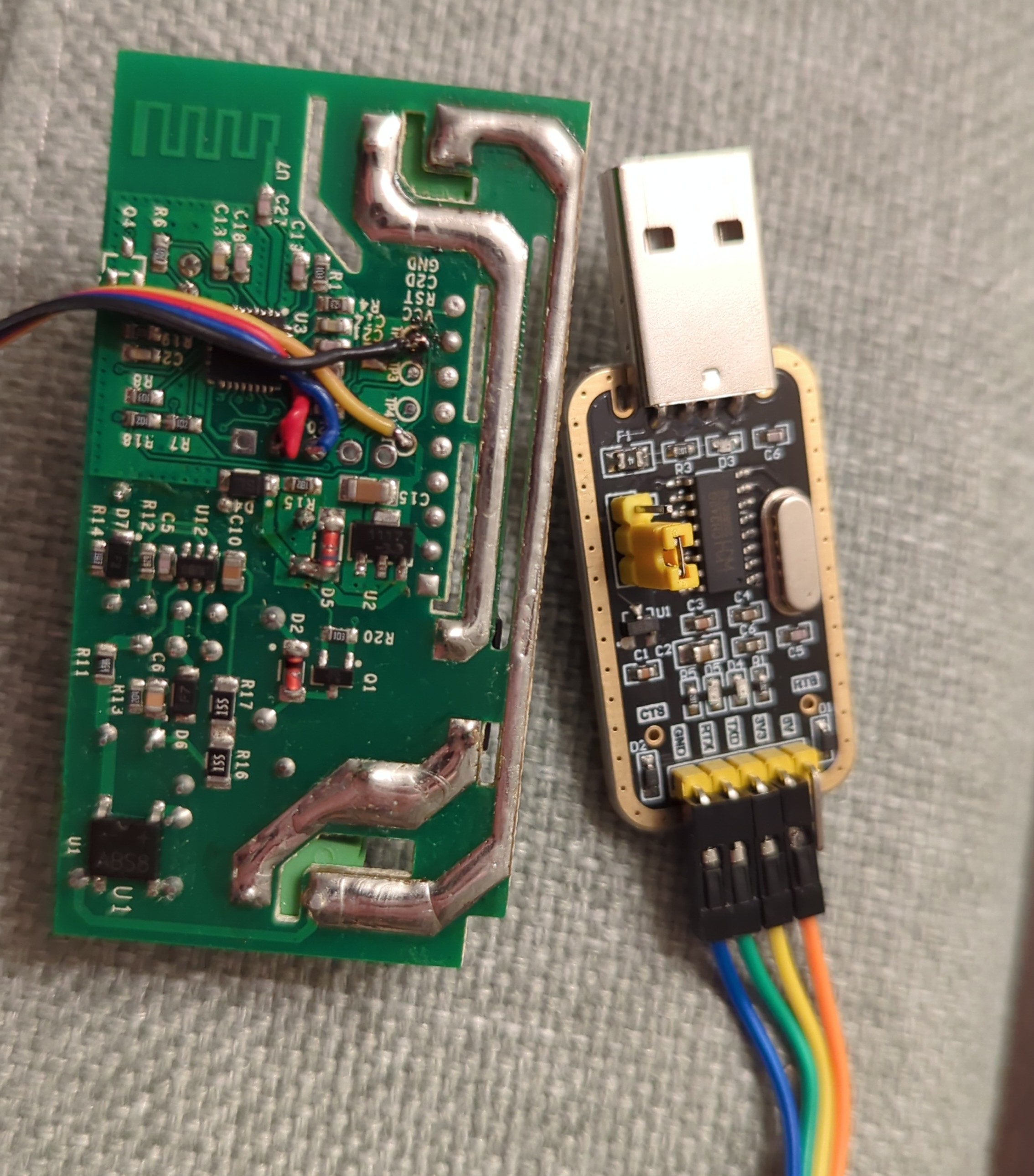
Marked are 3.3V VCC and GND. The ESP8266EX UART-0 is on marked points TX and RX.
Boot message
 ets Jan  8 2013,rst cause:4, boot mode:(3,6)

wdt reset
Flashing
While holding the button connect the USB UART.
$ esptool.py -p /dev/ttyUSB0 flash_id
esptool.py v4.5.1
Serial port /dev/ttyUSB0
Connecting...
Detecting chip type... Unsupported detection protocol, switching and trying again...
Connecting...
Detecting chip type... ESP8266
Chip is ESP8266EX
Features: WiFi
Crystal is 26MHz
MAC: 5c:cf:7f:xx:xx:xx
Stub is already running. No upload is necessary.
Manufacturer: 5e
Device: 4014
Detected flash size: 1MB
Hard resetting via RTS pin...
Backup original firmware and erase flash.
$ esptool.py -p /dev/ttyUSB0 read_flash 0x00000 0x100000 fwbackup.bin
...
1048576 (100 %)
1048576 (100 %)
Read 1048576 bytes at 0x00000000 in 96.5 seconds (86.9 kbit/s)...
Hard resetting via RTS pin...

$ esptool.py -p /dev/ttyUSB0 erase_flash
...
Erasing flash (this may take a while)...
Chip erase completed successfully in 52.8s
Hard resetting via RTS pin...
Now power cycle with button pressed again to enter programming mode.
$ esptool.py -p /dev/ttyUSB0 write_flash -fm dout 0x0 tasmota.bin
....
Configuring flash size...
Flash will be erased from 0x00000000 to 0x000a2fff...
Compressed 665504 bytes to 475418...
Wrote 665504 bytes (475418 compressed) at 0x00000000 in 41.9 seconds (effective 127.0 kbit/s)...
Hash of data verified.

Leaving...
Hard resetting via RTS pin...
Connecting via UART
$ tio /dev/ttyUSB0 -e -m ONLCRNL
00:00:00.002 HDW: ESP8266EX
00:00:00.017-031 CFG: Use defaults
00:00:00.577 QPC: Reset
00:00:00.591 Project tasmota - Tasmota Version 14.3.0(release-tasmota)-2_7_7(2024-10-15T08:18:01)
00:00:00.951 WIF: WifiManager active for 3 minutes
00:00:00.461 HTP: Web server active on tasmota-79E7BE-1982 with IP address 192.168.4.1
00:06:50.536 CMD: status
00:06:50.542 RSL: STATUS = {"Status":{"Module":1,"DeviceName":"Tasmota","FriendlyName":["Tasmota"],"Topic":"tasmota_79E7BE","ButtonTopic":"0","Power":"0","PowerLock":"0","PowerOnState":3,"LedState":1,"LedMask":"FFFF","SaveData":0,"SaveState":1,"SwitchTopic":"0","SwitchMode":[0,0,0,0,0,0,0,0,0,0,0,0,0,0,0,0,0,0,0,0,0,0,0,0,0,0,0,0],"ButtonRetain":0,"SwitchRetain":0,"SensorRetain":0,"PowerRetain":0,"InfoRetain":0,"StateRetain":0,"StatusRetain":0}}
Try typing status and enter.
Configuration
WiFi
The device can be connected to via WiFi directly or configured via UART. WiFi configuration did not work for me, it was getting a timeout... looks like there is an issue with testing 'N' wireless while staying in AP mode (AP+STA)?
I had issues with device not able to connect (needed 3-4 restarts), disabling Short Preamble and changing channel to 1 on my AP improved chances to connect.
Via UART type and hit enter: Backlog <ssid>; password1 <pass>
00:09:45.138 RSL: RESULT = {"Password1":"<pass>"}
00:09:46.504 APP: Restarting

 ets Jan  8 2013,rst cause:1, boot mode:(3,6)

load 0x4010f000, len 3584, room 16
tail 0
chksum 0xb0
csum 0xb0
v3969889e
~ld

00:00:00.002 HDW: ESP8266EX
00:00:00.054 CFG: Loaded from flash at F7, Count 29
00:00:00.060 QPC: Count 1
00:00:00.071 Project tasmota - Tasmota Version 14.3.0(release-tasmota)-2_7_7(2024-10-15T08:18:01)
00:00:01.166 WIF: Connecting to AP1 <ssid> in mode 11n as tasmota-79E7BE-1982...
00:00:06.559 QPC: Reset
00:00:09.791 WIF: Connected
00:00:10.043 HTP: Web server active on tasmota-79E7BE-1982 with IP address 192.168.80.206
17:58:21.023 RSL: INFO1 = {"Info1":{"Module":"Sonoff Basic","Version":"14.3.0(release-tasmota)","FallbackTopic":"cmnd/DVES_79E7BE_fb/","GroupTopic":"cmnd/tasmotas/"}}
17:58:21.029 RSL: INFO2 = {"Info2":{"WebServerMode":"Admin","Hostname":"tasmota-79E7BE-1982","IPAddress":"192.168.80.206"}}
17:58:21.039 RSL: INFO3 = {"Info3":{"RestartReason":"Software/System restart","BootCount":13}}
17:58:21.047 RSL: RESULT = {"POWER":"OFF"}
17:58:21.051 RSL: POWER = OFF
17:58:25.476 RSL: STATE = {"Time":"2024-10-26T17:58:25","Uptime":"0T00:00:17","UptimeSec":17,"Heap":27,"SleepMode":"Dynamic","Sleep":50,"LoadAvg":19,"MqttCount":0,"POWER":"OFF","Wifi":{"AP":1,"SSId":"<ssid>","BSSId":"62:D7:9A:61:55:DE","Channel":11,"Mode":"11n","RSSI":100,"Signal":-44,"LinkCount":1,"Downtime":"0T00:00:11"}}
Timezone
Use web console or UART:
- List of commands for given time zone: https://tasmota.github.io/docs/Timezone-Table/
- For Ireland/Dublin:
Backlog0 Timezone 99; TimeStd 1,0,3,1,1,60; TimeDst 1,0,10,1,2,0